TisRadar app iconTisRadar
Invitation-only pilot

Five platforms. One screen. No app juggling.

TisRadar shows how your reels and posts really perform, suggests what to publish and when, sends your content to all your accounts at once and helps you answer comments. No post goes out without your click.

Works with:
  • Facebook
  • Instagram
  • Threads
  • TikTok
  • YouTube
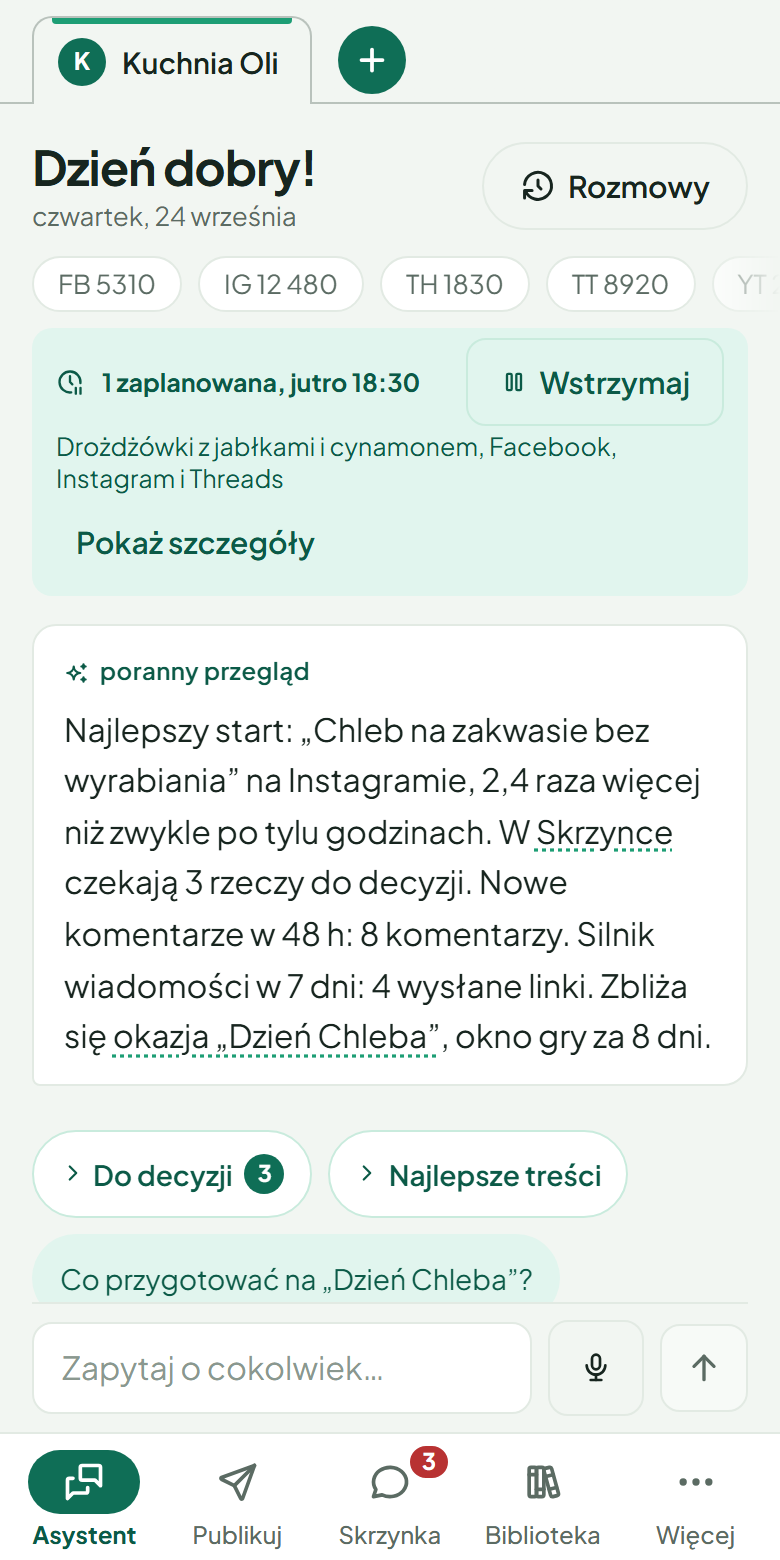
The TisRadar assistant on the phone of a demo food creator: followers on five platforms, a scheduled post with a Pause button, a morning summary of results and a box for asking a question. The interface is in Polish.

How it works

Four steps you already take every week. Just in one place, with numbers instead of gut feeling.

Measure

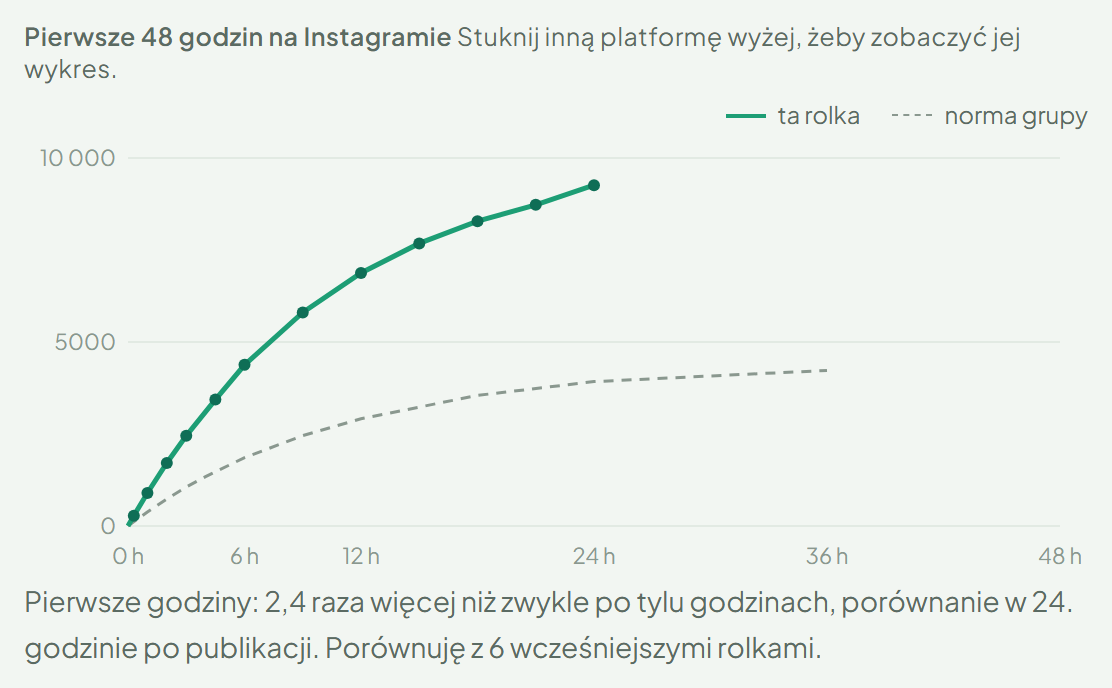
A reel gets a launch curve compared with your own baseline, not someone else’s average, once you have a few publications. Plus followers, audience and the hours that work best for you.

No crystal ball. Just your own numbers.

The first 48 hours of a reel on Instagram in TisRadar, compared with the account’s own baseline. The interface is in Polish.

Plan

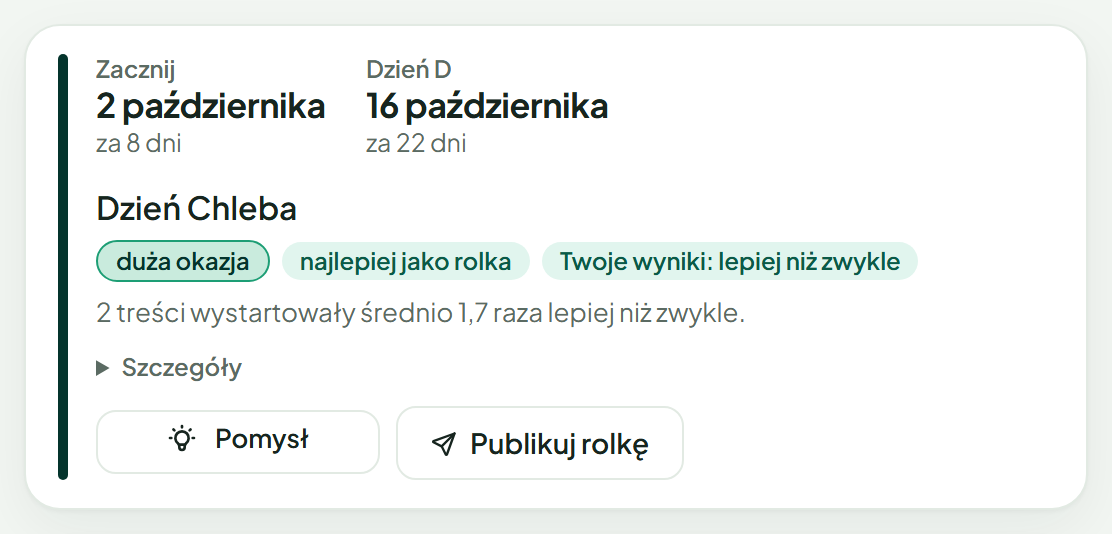
A short conversation about your niche at the start turns into a calendar of occasions: holidays, seasons and dates that matter to your audience. The content radar tells you when to start filming so you are ready before the day.

An occasion card in the content radar with the date to start filming and the day of the occasion itself.

Publish

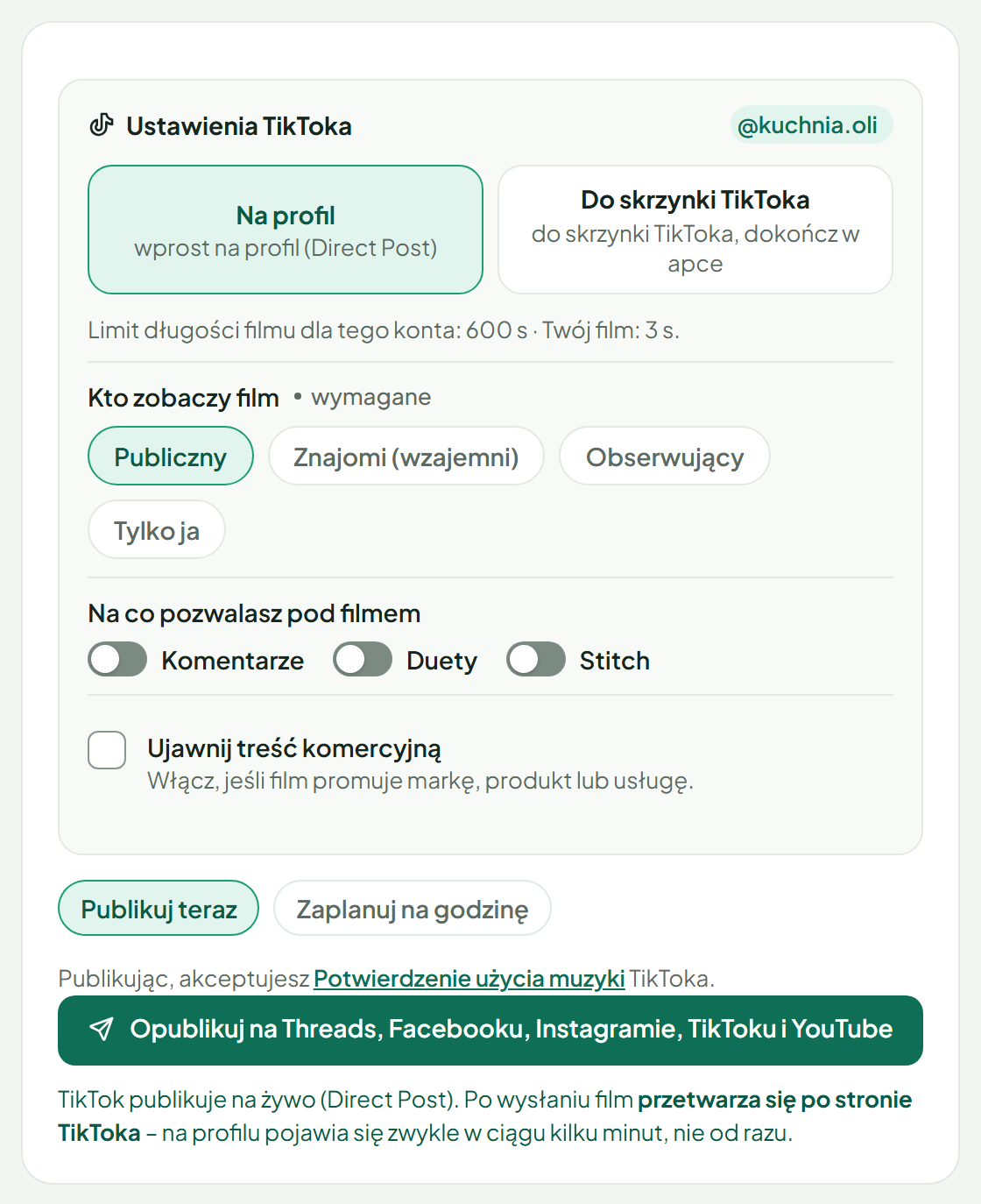
One composer: a video or photos, a caption adapted to each platform, sent now or at a time you choose. Reels to all five platforms, photo posts to Facebook, Instagram and Threads, stories to Facebook and Instagram.

The last step of the TisRadar composer: TikTok settings, publish now or at a chosen time, and one button that publishes to five platforms. The interface is in Polish.

Reply

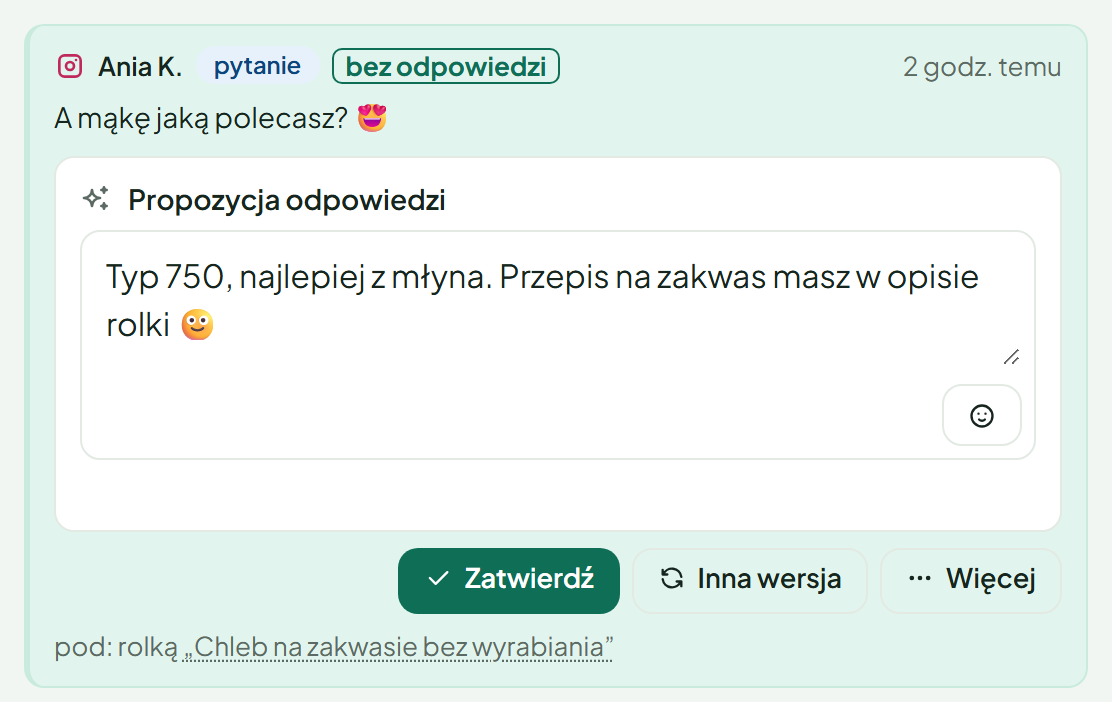
Comments from Facebook, Instagram and Threads, and from YouTube under videos published through TisRadar, in one inbox. AI drafts a reply in your voice, and you edit or approve it. When a viewer comments an agreed keyword, TisRadar sends them a private message with your link, on Facebook and Instagram.

A viewer’s comment in the TisRadar inbox with a drafted reply waiting for approval.

On your phone too

TisRadar runs in the browser and installs on your phone like an app: assistant, publishing, inbox and library under your thumb.

All features in detail

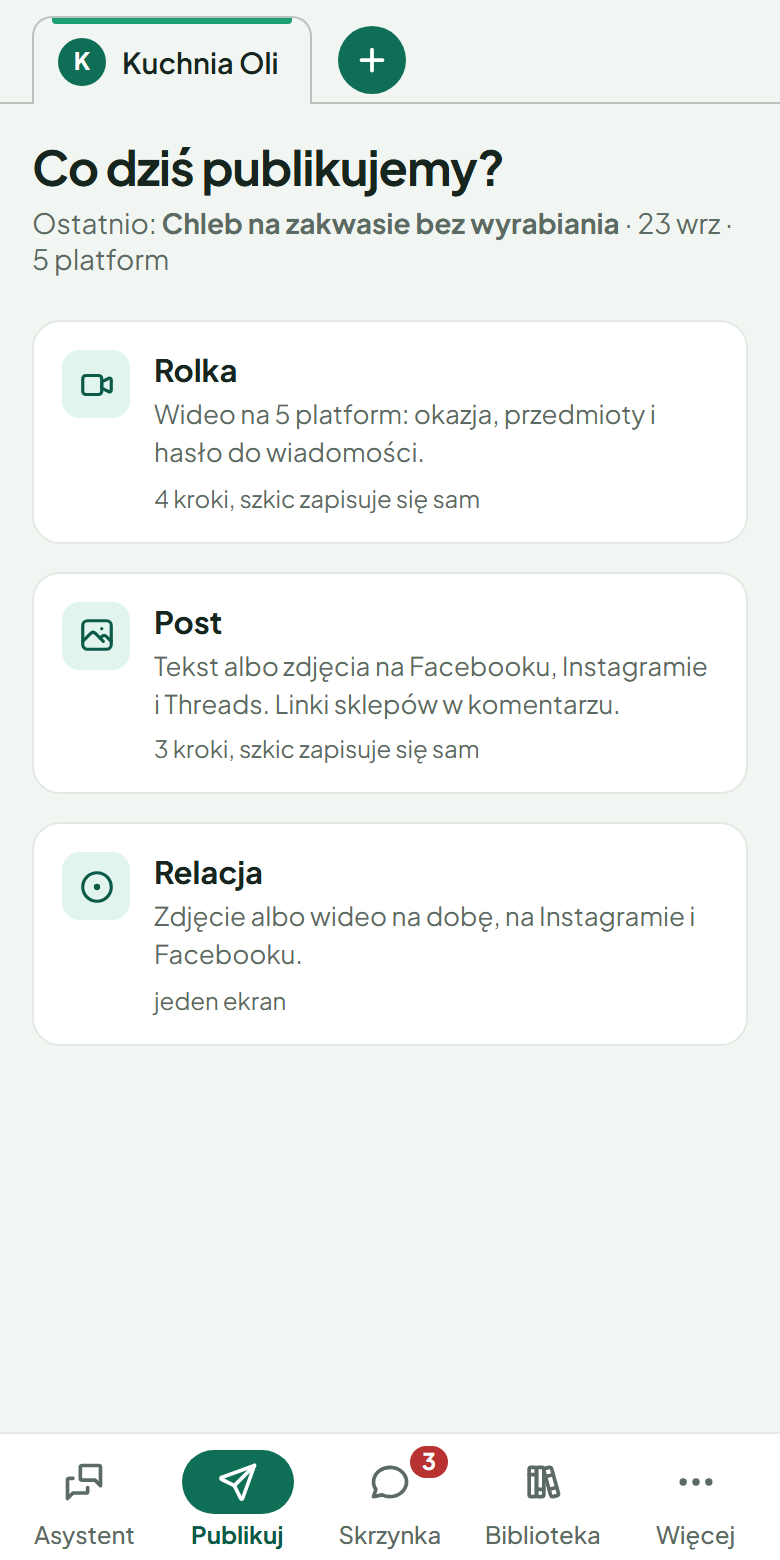
The Publish screen of TisRadar on a phone: reel, post or story. The interface is in Polish.

What TisRadar does not do

Because trust takes longer to build than reach.

It does not post on its own

A post goes out when you click, or at the time you set yourself. Scheduled posts are listed and you can cancel them.

It does not ask for passwords

You connect accounts through each platform’s official login. You remove a connection with Disconnect under Connections, and you can also revoke access in the platform’s settings.

It does not show your data to others

Every account sees only its own profiles and numbers.

It does not give your links to AI

The model writes text with a placeholder, and the real address is inserted by the application code.

What happens automatically

A private message after a keyword, or after a comment that clearly asks for the product, follows a rule you create and can switch off. A short public reply then appears under the comment, and on Facebook the comment is also liked if the rule says so. On Threads, which has no private messages, the rule of a reel replies publicly with the link.

Ready answers, if you switch on sending them without asking when you publish: when a viewer asks something you prepared an answer for, TisRadar replies with your own words, exactly as you wrote them, and thanks praise with one of your own sentences. AI only recognises the question and never writes the text. It works under that one post, with a daily limit and for the number of days you set, and you stop it with one button.

A comment with a link to someone else’s website is hidden right away on Facebook, Instagram and Threads, and on YouTube once you switch this on in the inbox, also when there is text next to the link. A comment with text and a link is hidden on its own only once TisRadar knows where you send viewers: from your product cards, message rules or the list of addresses in Settings. Until then, and when the link leads to another page of a shop from your product cards or message rules, TisRadar only suggests hiding it. A comment that your message rule for that post recognises as its keyword, and a comment you have already replied to, are never hidden automatically. It hides at most 20 comments this way per profile in an hour; above that, and for a shortened or shared platform link (for example fb.watch) that may lead to your own post, it only suggests hiding. Links it knows as yours are never hidden, including your Facebook Page and your posts under another form of their address. On Facebook, Instagram and Threads you do not have to switch this on; on YouTube, until you do, such a comment waits in the inbox with a suggestion to hide it. You bring a comment back with one click on Show again.

Invitation-only pilot

We let a few creators in at a time, so we can help each of them connect their accounts and set up publishing properly from day one. Tell us which accounts you run. We answer every message.

Already invited? Open the link from your invitation and sign in with your Google account or with a link and code we send to your email address.

Pricing

We will publish pricing here after the pilot.

Today TisRadar does not accept any payments.

FAQ

Does my Instagram need to be a professional account?

Yes. It must be a professional account, business or creator, linked to a Facebook Page. That is how Meta’s official access to statistics and comments works.

Where is my data?

We store it on a server in the European Union, at OVH in France. Some data is processed by AI and service providers, also outside the EU, and the privacy policy names every one of them.

Can I disconnect an account?

Yes, at any time, under Connections. You can also revoke access in the platform’s own settings.

Does TisRadar read TikTok comments?

We are switching this on gradually. Once it covers your account, comments under your videos come into the inbox, and a reply, like or hide goes out only when you click. We do not send TikTok messages.

Why TisRadar asks for access to your accounts

Only to show you your results, send what you publish, collect the comments under your content and answer them, and send private messages only according to your own rules.

For YouTube these are four Google permissions:

  • uploading a video to your channel when you click Publish or at a time you set;
  • reading your channel and the results of videos published through TisRadar;
  • YouTube Analytics reports about your channel’s audience;
  • comments under videos published through TisRadar: reading, replying, hiding and restoring.

What we read, what happens automatically and how long we keep data is described in the Privacy Policy.